يحاول ذهب - حر
Look your best on video calls
April 2021
|Mac Life
Can’t meet in person? Here’s how to master the art of video calling

WITH WORKING FROM home now an everyday occurrence for huge numbers of us, learning how to look your best on a video call is more important than ever. It’s no longer sufficient to simply turn on your Mac’s built–in webcam and hope for the best. Luckily, there are plenty of ways to spruce up your on–call appearance quickly and easily. All are simple to achieve and most are free.
The first and perhaps most important step is to get a good webcam. The built–in cameras in most modern Macs are simply not up to scratch these days. In fact, only the 5K iMac from mid–2020 offers 1080p resolution — every other Mac is languishing at 720p.
You don’t have to spend a fortune. We reviewed the Creative Live! Cam Sync 1080p ($49.99) in ML175, and its 1080p resolution looks great compared to what most Macs currently offer. You can go higher — the Logitech Brio outputs in 4K and costs $199, for example — but most users won’t need to spend that much. Just make sure you get a camera with a resolution higher than 720p.
LIGHTING AND ANGLES
Once you’ve sorted out a good third–party webcam, it’s time to work on the lighting. Never sit with a window behind you — it will darken everything in front of it and make you hard to see on the call. Use natural light if you can to avoid the yellow hue electric lights often give off, and try not to point lights directly at your face, as this can create deep shadows. Instead, light yourself from both sides with lights positioned a few feet away — you want the light to be diffuse rather than direct. If you can, get a dedicated lighting ring. A few webcams like the Razer Kiyo even come with a light ring built in.
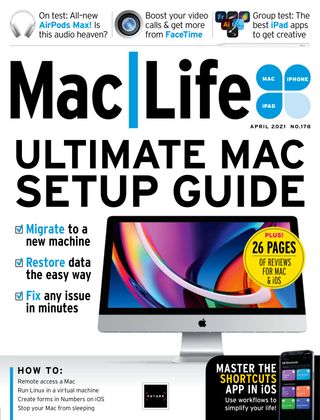

هذه القصة من طبعة April 2021 من Mac Life.
اشترك في Magzter GOLD للوصول إلى آلاف القصص المتميزة المنسقة، وأكثر من 9000 مجلة وصحيفة.
هل أنت مشترك بالفعل؟ تسجيل الدخول
المزيد من القصص من Mac Life

Mac Life
TerraMaster F4-425 NAS
Home or office four-bay network-attached storage

3 mins
March 2026

Mac Life
Satechi OntheGo 7-in-1 Adapter
Easily add more ports to your Mac, iPhone and iPad
2 mins
March 2026

Mac Life
BenQ ScreenBar Halo 2
Monitor lighting that's a sight for sore eyes
1 mins
March 2026
Mac Life
AI: WHAT YOU NEED TO KNOW
Al can be brilliant when put to proper use, but it also has some major downsides
11 mins
March 2026

Mac Life
Calibrate a MacBook Pro display
Can I calibrate my MacBook Pro 16-inch M3 Pro's XDR display, and if so, how?
1 min
March 2026

Mac Life
Edifier S880DB MKII
Great-sounding speakers with loads of connectivity
3 mins
March 2026

Mac Life
Search text in document images
I keep thousands of images of printed documents, and want to search their contents using Live Text, but Spotlight won't index them. How can I get it to work?
1 min
March 2026

Mac Life
No looking back at old icons
Can I customize the apps bundled in macOS Tahoe by giving them back their old icons?
1 min
March 2026

Mac Life
Set up multiple timers on iOS
Discover timers done right
2 mins
March 2026

Mac Life
Blue Prince
A multilayered inheritance challenge like no other
2 mins
March 2026
Translate
Change font size