
استمتع بـUnlimited مع Magzter GOLD
احصل على وصول غير محدود إلى أكثر من 9000 مجلة وصحيفة وقصة مميزة مقابل
يحاول ذهب - حر
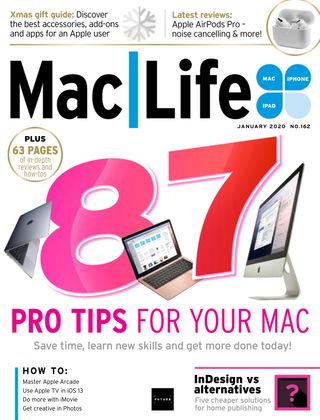
87 Time–Saving Tips For Mac Users
January 2020
|Mac Life
Discover smart shortcuts, and be more productive with your Mac

Macs are famed for their ease of use: “it just works” was always so much more than a marketing slogan. Macs are made to do things elegantly and efficiently, and the more time you spend discovering what you can do, the more you’ll be able to get things done.
Every Mac is jam-packed with useful features that are designed to make things easier, faster or both. Once you’ve discovered the ones that suit you, your days will be brighter, your work more efficient and your hair more glossy. We’re only lying about that last one… From Safari’s shortcuts to Mission Control’s multiple desktops, from fiddling with the Finder to mastering Mail, these tips will help you get even more from your Mac.
STARTUP FASTER!
1 Start more quickly
The more things launch when your Mac starts, the slower it’ll be. To remove unwanted startup items, go into System Preferences > Users > Login Items, and you can see and change which items automatically launch and log in.
2 Start automatically
You can get your Mac to start up or wake up at a specific time: just go into System Preferences > Energy Saver > Schedule to create a schedule that applies to what you require on an everyday basis or just specific days.
3 Log in with your Watch
You can unlock your Mac with your Apple Watch. Go to System Preferences > Security & Privacy > Allow Your Apple Watch To Unlock Your Mac. If you’d rather use your phone, you’ll need a third-party app.
Desktop makeovers
1 SIDECAR (CATALINA ONLY)
Sidecar gives you even more screen real estate by enlisting your iPad as an additional monitor. To send an app to Sidecar from your Mac desktop, go into the Window menu and you’ll see a “Move to” option detailing the available iPad(s).

هذه القصة من طبعة January 2020 من Mac Life.
اشترك في Magzter GOLD للوصول إلى آلاف القصص المتميزة المنسقة، وأكثر من 9000 مجلة وصحيفة.
هل أنت مشترك بالفعل؟ تسجيل الدخول
المزيد من القصص من Mac Life

Mac Life
TerraMaster F4-425 NAS
Home or office four-bay network-attached storage

3 mins
March 2026

Mac Life
Satechi OntheGo 7-in-1 Adapter
Easily add more ports to your Mac, iPhone and iPad
2 mins
March 2026

Mac Life
BenQ ScreenBar Halo 2
Monitor lighting that's a sight for sore eyes
1 mins
March 2026
Mac Life
AI: WHAT YOU NEED TO KNOW
Al can be brilliant when put to proper use, but it also has some major downsides
11 mins
March 2026

Mac Life
Calibrate a MacBook Pro display
Can I calibrate my MacBook Pro 16-inch M3 Pro's XDR display, and if so, how?
1 min
March 2026

Mac Life
Edifier S880DB MKII
Great-sounding speakers with loads of connectivity
3 mins
March 2026

Mac Life
Search text in document images
I keep thousands of images of printed documents, and want to search their contents using Live Text, but Spotlight won't index them. How can I get it to work?
1 min
March 2026

Mac Life
No looking back at old icons
Can I customize the apps bundled in macOS Tahoe by giving them back their old icons?
1 min
March 2026

Mac Life
Set up multiple timers on iOS
Discover timers done right
2 mins
March 2026

Mac Life
Blue Prince
A multilayered inheritance challenge like no other
2 mins
March 2026
Translate
Change font size