يحاول ذهب - حر
Create designs in Animal Crossing
October 2020
|ImagineFX
Animal Crossing: New Horizons Personalise your island with these handy tips for downloading, making and sharing custom designs
-

You might spend your time fishing or catching bugs in Animal Crossing: New Horizons, but custom designs can transform your island retreat into an architectural masterpiece!
Whether you’re looking for decking, paths, new wallpaper, clothes, or designs for the much-coveted Simple Panels to switch up the entire look of your peaceful paradise, there are many ways to fill your custom design slots. From the Custom Designs Portal to make the most of QR codes, here’s a breakdown of how to download, make, and share custom designs in Animal Crossing: New Horizons.
THE CUSTOM DESIGNS PORTAL
Visiting the Able Sisters store is by far the simplest way to download new custom designs in Animal Crossing: New Horizons. Once you’ve unlocked the store in the game, head to the bright pink touch-screen at the back right of the shop, and you can connect to the internet and interact with the Custom Designs Portal.
It’s here where all your dreams of intricate paths, fancy decking, and artsy wallpaper can come true, but you’ll need to know either the design ID or the creator ID of the items that you’re looking for. A nine-digit number prefaced by MO is the design ID, while MA is the creator code, and you’ll then be able to see everything they’ve created. You can even flick between regular custom designs and Pro versions that have been crafted with a specific clothing item in mind, say. You’ll also need a paid Nintendo Switch Online subscription to share your designs and download new ones.
The best places to find creator codes are Reddit, Instagram and even Twitter, where you can search #acnhdesigns or #acnhpattern. Note that some more complex designs such as decking or even paths will require more of your limited design slots – so download wisely!
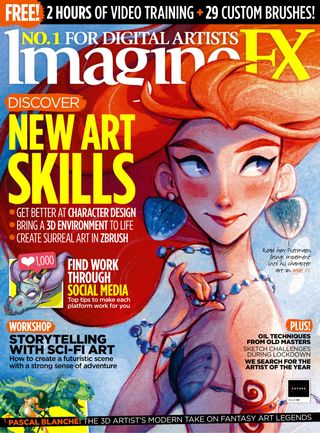

هذه القصة من طبعة October 2020 من ImagineFX.
اشترك في Magzter GOLD للوصول إلى آلاف القصص المتميزة المنسقة، وأكثر من 9000 مجلة وصحيفة.
هل أنت مشترك بالفعل؟ تسجيل الدخول
المزيد من القصص من ImagineFX
ImagineFX
ZBrush, Blender & Procreate COLOUR YOUR 3D ARTWORK
Entei Ryu reveals how she sculpts and paints Triceratops and T-Rex, two characters from her BONEGIRL series

1 min
March 2026
ImagineFX
Canon imagePROGRAF PRO-310
Artists and photographers who create gallery-quality prints of their work will want to make room in their studio for Canon's latest printer
1 mins
March 2026
ImagineFX
Acer Swift Edge 14 Al
This beautiful laptop delivers on design, but what about the amount of computing power on offer?
1 mins
March 2026
ImagineFX
CONCEPT A MOODY CYBERPUNK SCENE
Oleg Topor uses a variety of creative techniques to portray a meeting of criminals in the depths of a futuristic city
3 mins
March 2026

ImagineFX
LET THE STORY LEAD THE DESIGN
Nelson Tai takes cues from his personal sci-fi project when constructing a hardworking droid
1 mins
March 2026
ImagineFX
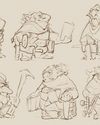
LORCAN THE LITERATE
Arne Billen believes that conceptual contrast can lead to a successful design. He demonstrates this with Lorcan, a character from his D&D campaign who combines literacy with a fighting spirit
1 mins
March 2026
ImagineFX
Secretlab Magnus Evo
REAL STEEL Does this pro sit-to-standing desk rise to the occasion?
1 min
March 2026

ImagineFX
MAKE USE OF FILTERS
Concept artist Brandon Liao gives insights into his visual development work on Spectre Divide
1 mins
March 2026
ImagineFX
ENHANCE ANY 3D MODEL BY APPLYING TEXTURES
Ant Ward explains how UVs and texture maps are an easy way to add detail to a 3D object
1 mins
March 2026
ImagineFX
Karim Yasser Ahmed
Karim is a senior lighting artist with over seven years of experience in AAA games. He loves working on environment lighting: “I treat my environment as a canvas that is getting lit as a painting, and I truly enjoy this process.”
1 min
March 2026
Translate
Change font size